We regularly receive email inquiries from newly registered users, about how to access the GEP processing services.
The starting point is the Web Store page.
It says that after registering your user account, you have to perform a first sign-in, and go to your user Profile page on the GEP Portal. From there, you have to submit a candidate application via the provided Application Scenario Description (ASD) form.
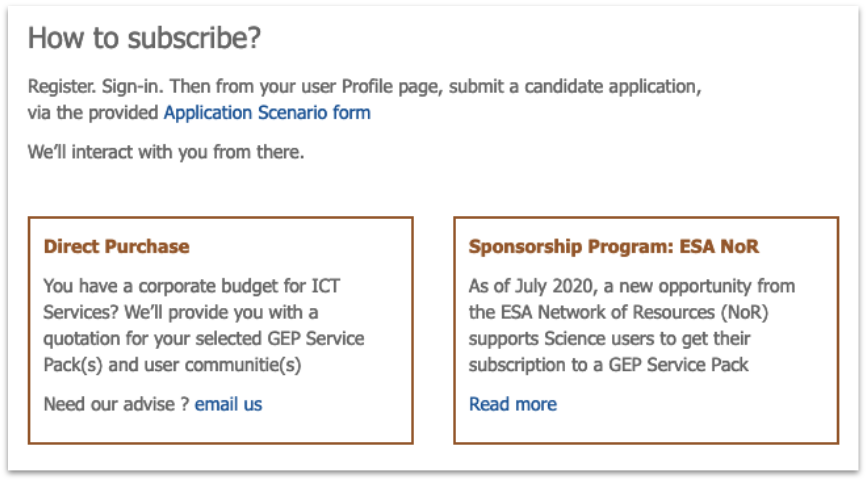
Based on it, we’ll provide you with a quotation (directly within the Portal, as part of your ASD management workflow) for your selected GEP Services Pack.
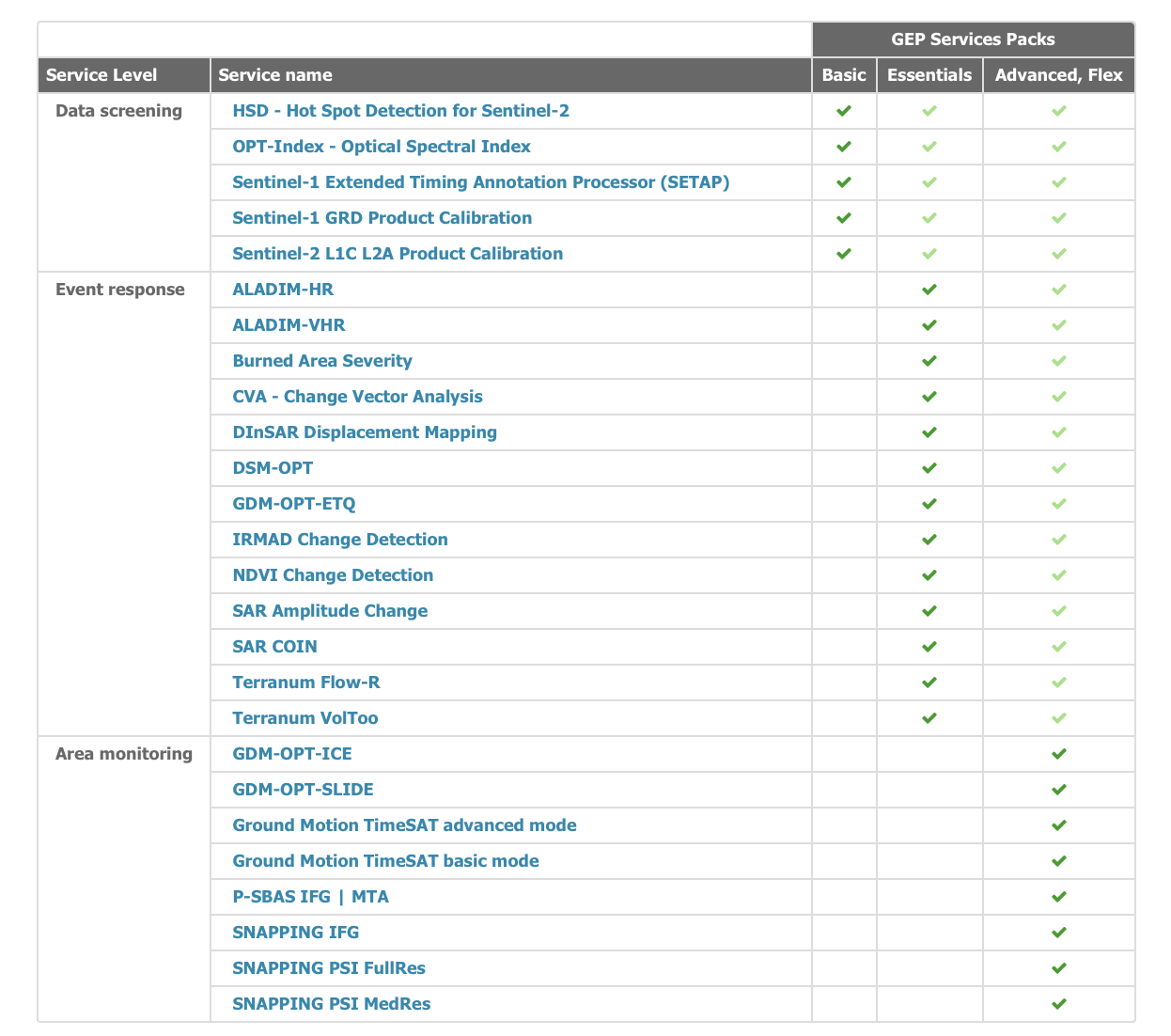
GEP supports a modular access to EO data processing services via Services Packs. These Services Packs are organised to support progressive task complexity, ranging from basic data screening tasks to advanced time series analysis.
Double check the Web Store page for learning about each processing service: in the summary table, you will even find direct links to each service online tutorial, that explains all the practical details of running that EO data processing service.
From our quotation, you can either directly purchase a subscription, or else proceed for getting a sponsorship that will provide you with a voucher for running data processing tasks.
Sponsored subscriptions can be delivered by the ESA Network of Resources (NoR) program to new GEP users.
To request a sponsored subscription, you have to select the “FLEX” Services Pack while filling your ASD form. This FLEX Services Pack simply encompasses all of the current GEP offer for processing services, so you can access it in a self-service mode once subscribed.
Step-by-step to request a sponsorship to ESA NoR
Submit your request for NoR sponsorship (a voucher for using GEP)
This is a process to be completed before we can perform your account upgrade.
You shall request a GEP “FLEX" Service Pack.
Go to the NoR Portfolio page, https://nor-discover.org/en/portfolio/, and click on the button “Access it here” to open the ordering page.
On that Portfolio ordering page https://portfolio.nor-discover.org/ text search field, type “Geohazards” and press return
On the blue ribbon of the provider "Terradue - Geohazards TEP”, click on the last menu entry “Pricing wizard” to reach the Sponsoring request form
Step 1: Specify the Project type (e.g. Research)
Then under the DPaaS offerings / Pay-Per-Use Package section, select “FLEX”, and select the Voucher amount of your sponsorship request.
We usually recommend requesting the standard maximum amount of sponsoring (€5,000).
Step 2: scroll down the page and under “Ask ESA for sponsorship”, select NO for the two subsequent questions (ESA project, co-funding), and finally click on “Ask ESA for Sponsorship”.
Step 3: fill-in the form sections:
- Project Title
- PoC details
- Project Objectives
- Implementation Methodology
- Results
- Justification for selected service(s) and provider
- Description of work within the cloud environment (*)
- Area of Interest of the project
(*) For the section “Description of work within the cloud environment”, you can simply indicate “Use of on-demand Processing Services from the GEP Portal”
You’ll be asked to also indicate the expected date of submission of your summary slides, highlighting your achievements in using GEP over the subscription period.
Step 4: at the end of that process:
- Click on the button “Export Sponsoring Request (SR)” as a PDF
- Follow the guidance provided at the end of that Form page, to email your signed SR PDF to NoR
Once your sponsorship request is accepted by NoR, you will receive a confirmation email from NoR for that sponsorship ID.
Based on it, Terradue will provide you with your account upgrade (GEP services access).
That’s it !
Looking forward hearing from you.